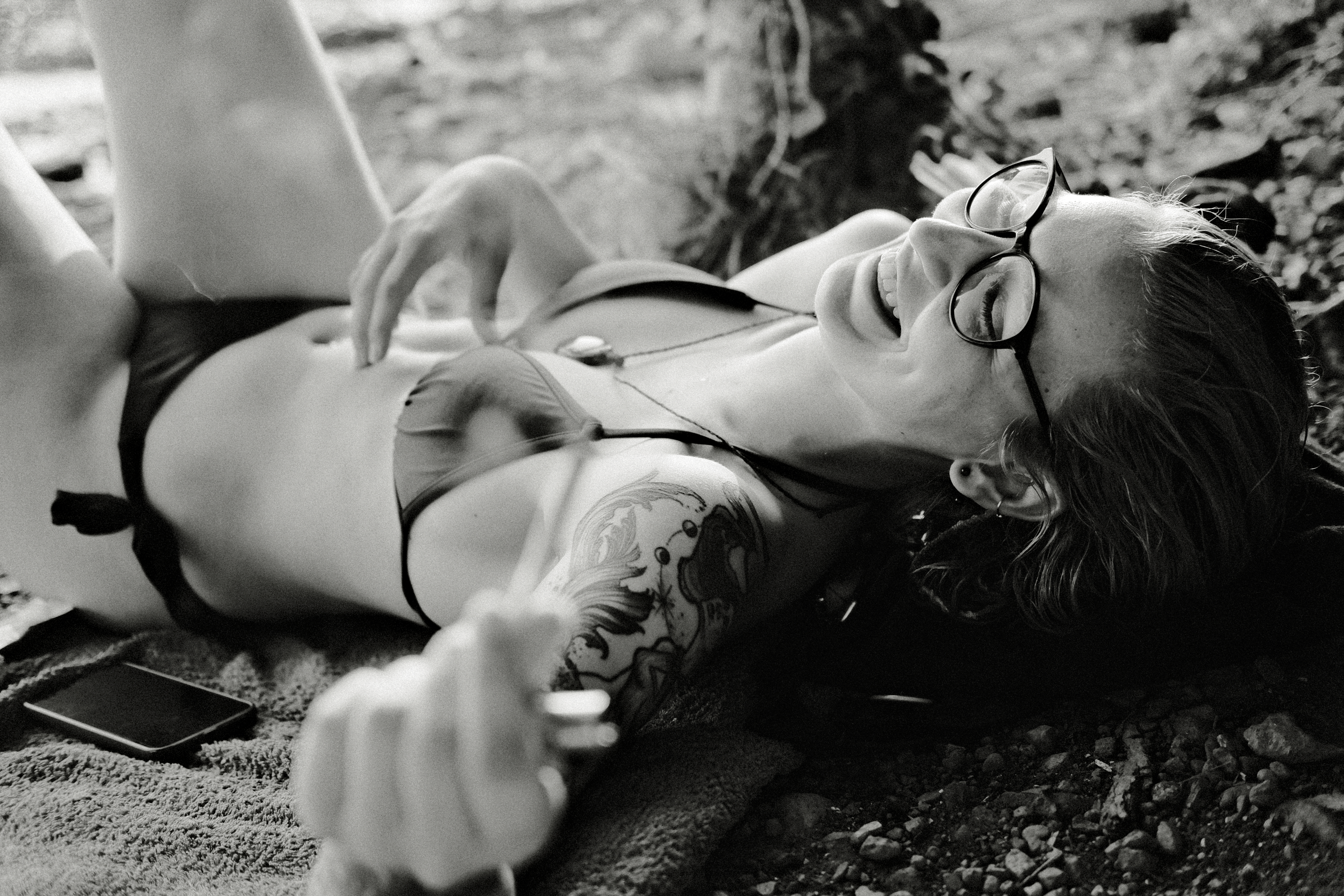
Film simulation play-flow
250 f8
"My Menu" looks like this in my Fujifilm X-T4 camera:
ISO Auto Setting
Photometry
Film Simulation
Monochromatic Color
White Balance
Grain Effect
Color Chrome Effect
Color Chrome FX Blue
D Range Priority
Edit/Save Custom Setting
And in my Fujifilm GFX 50R as follows:
ISO
White Balance
Face/Eye Detection Setting
Photometry
Film Simulation
Grain Effect
Color Chrome Effect
Smooth Skin Effect
Edit/Save Custom Setting
Currently I use Auto ISO up to 12800, with a minimum Shutter Speed (SS) of 1/250 by default (or 1/125 for portrait work). That is a safe baseline sacrificing some image quality. SS and ISO then can be tweaked according to my needs. (1/500+ for fast moving subjects, 1/60- for tripod work, etc.)
These are the film simulation recipes I use in the X-T4 as of today (2026-06-13) for portrait work, street and nature clicks (it changes every few weeks usually):
My Daido Moriyama variant. Fast in the X-T4.
Simulation: Monochrome (Std, R, Y or G)
Mono Shift: WC +1, MG +1
Grain Effect: Strong, LargeColor Chrome Effect: Strong
Color Chrome Blue: Strong
White Balance: Auto
WB Shift: 0 Red, 0 Blue
Dynamic Range: DR400
Highlight: -2.0
Shadow: +4.0
Sharpness: 0
ISO Noise Reduction: -4
Clarity: 0
Exposure compensation: as you see fit, typically a bit over 0
🌸 Sakuraïa
https://www.instagram.com/p/DYJ_M17CGWP/?img_index=7
Film Simulation: Provia
Grain Effect: OFF
Dynamic Range: DR400
Color Chrome Effect: OFF
Color Chrome Blue: OFF
White Balance: AUTO
WB Shift Red: +1
WB Shift Blue: -2
Highlights: 0
Shadows: -0.5
Color: -3
Sharpness: 0
High ISO NR: 0
Clarity: 0
Smooth Skin: OFF
Exposure compensation: typically between -1/3 and +2/3
https://www.instagram.com/p/DYJ_M17CGWP/?img_index=7
Film Simulation: Provia
Grain Effect: OFF
Dynamic Range: DR400
Color Chrome Effect: OFF
Color Chrome Blue: OFF
White Balance: AUTO
WB Shift Red: +1
WB Shift Blue: -2
Highlights: 0
Shadows: -0.5
Color: -3
Sharpness: 0
High ISO NR: 0
Clarity: 0
Smooth Skin: OFF
Exposure compensation: typically between -1/3 and +2/3
My mods:
Grain Effect: Weak, Small
Kodak Gold 200
https://www.shuttergroove.com/fujifilm-recipes/35mm-film-recipes/kodak-gold-200-film-recipe/
Film Simulation: Classic Negative
Highlight: +1
Shadow: 0
Color: +2
Sharpness: -1
Noise Reduction: -4
Grain Effect / Grain Size: Strong / Small
Color Chrome Effect / FX Blue: On / Off
WB / Color Temperature: Daylight, Red 4, Blue -4
Exposure Compensation: from -2/3 to +2/3
ISO: Auto up to ISO 6400
Clarity: 0
Dynamic Range: DR200
My mods:
Color Chrome Effect / FX Blue: Strong / Off
https://www.shuttergroove.com/fujifilm-recipes/35mm-film-recipes/kodak-gold-200-film-recipe/
Film Simulation: Classic Negative
Highlight: +1
Shadow: 0
Color: +2
Sharpness: -1
Noise Reduction: -4
Grain Effect / Grain Size: Strong / Small
Color Chrome Effect / FX Blue: On / Off
WB / Color Temperature: Daylight, Red 4, Blue -4
Exposure Compensation: from -2/3 to +2/3
ISO: Auto up to ISO 6400
Clarity: 0
Dynamic Range: DR200
My mods:
Color Chrome Effect / FX Blue: Strong / Off
https://lifeunintended.com/articles/my-favorite-fujifilm-film-simulation-settings/
Film simulation: Classic Negative
Dynamic Range: DR200
Auto-WB Shift: +4 Red, -4 Blue
Highlight: +1
Shadow: +0
Color: +3 (sometimes I’ll drop it to +1 when I want a less saturated look)
Noise reduction: -4
Clarity: 0
Sharpening: 0
Grain effect: Strong
Grain size: Large
Color chrome fx: Off
Color chrome blue: Weak
Exposure compensation: typically between +1/3 and +1
https://www.shuttergroove.com/fujifilm-recipes/classic-chrome-recipes/downtown-bloom-street-portrait-recipe-fuji-xtrans-iv/
Film Simulation: Classic Chrome
Dynamic Range: Auto
Highlight: -1
Shadow: +1
Color: +2
Noise Reduction: -4
Sharpening: 0
Clarity: 0
Grain Effect: Off
Color Chrome Effect: Strong
Color Chrome FX Blue: Strong
White Balance: Auto, +3 Red & -4 Blue
ISO: Auto – 6400
Exposure Compensation: 0 to +1/3
https://film.recipes/2023/01/06/arboria-astia-for-all-seasons-colour/
Simulation: Astia/Soft
Grain Effect: Weak, Small
Color Chrome Effect: Weak
Color Chrome Blue: Weak (IV) / Off (V)
White Balance: Auto
WB Shift: +3 Red, -3 Blue
Dynamic Range: DR400
Highlight: +0.5 (use 0 if your camera doesn’t support 0.5)
Shadow: +0.5 (use 1 if you camera doesn’t support 0.5)
Color: +4
Sharpness: -1
ISO Noise Reduction: -4
Clarity: -2
EV compensation: +1/3
https://film.recipes/2023/06/15/daido-moriyama-film-recipe/
Simulation: Monochrome (Std, R, Y or G)
Grain Effect: Strong, Large
Color Chrome Effect: Off
Color Chrome Blue: Off (IV) / Off (V)
White Balance: Underwater
WB Shift: 0 Red, 0 Blue
Dynamic Range: DR400
Highlight: -2.0
Shadow: +4.0
Mono Shift: WC +1, MG +1
Sharpness: -2
ISO Noise Reduction: -4
Clarity: +4
EV compensation: +2/3
My mods:
Simulation: Monochrome Std
And these are my current GFX 50R recipes:
Quiet Ink
My gentle Daido variant for the 50R. Acros instead of Monochrome — its grain and tonality merge with the Bayer sensor's noise instead of fighting it.
ISO: One of my auto ISO settings, see at the top of this page.
Simulation: Acros + R
Grain Effect: Weak
Color Chrome Effect: Off
Smooth Skin Effect: Off
White Balance: Auto
WB Shift: +2 Red, -2 Blue
Dynamic Range: DR Auto
Highlight Tone: -2
Shadow Tone: +1
Sharpness: -1
Noise Reduction: -4
EV compensation: +1/3 baseline, let the ISO climb rather than the frame go dark.
Variant: White Balance Daylight (same shift) for a tonal response that lives with the light, like film.
Close Light
The quiet colour one. Astia's skin with Provia-like restraint — Sakuraïa's spirit on the big sensor. Intimate, no strong brush.
ISO: One of my auto ISO settings, see at the top of this page.
Simulation: Astia/Soft
Grain Effect: Weak
Color Chrome Effect: Off
Smooth Skin Effect: Off
White Balance: Auto
WB Shift: +1 Red, -2 Blue
Dynamic Range: DR Auto
Highlight Tone: -1
Shadow Tone: 0
Color: 0
Sharpness: -1
Noise Reduction: -2
EV compensation: +1/3 to +2/3
Variant: White Balance Daylight (same shift) when the light deserves to speak for itself.
Gold Light
Kodak Gold 200 ported to the 50R, now that firmware brought Classic Negative to the body. The closest port of the three — the original uses neither Clarity nor FX Blue, so almost nothing is lost. Grain Weak stands in for Strong/Small, which the 50R cannot do.
ISO: One of my auto ISO settings, see at the top of this page.
Simulation: Classic Negative
Grain Effect: Weak
Color Chrome Effect: Weak
Smooth Skin Effect: Off
White Balance: Daylight
WB Shift: +4 Red, -4 Blue
Dynamic Range: DR Auto
Highlight Tone: +1
Shadow Tone: 0
Color: +2
Sharpness: -1
Noise Reduction: -2
EV compensation: from -2/3 to +2/3 — under for mood, over for warmth.
Quiet Ink
My gentle Daido variant for the 50R. Acros instead of Monochrome — its grain and tonality merge with the Bayer sensor's noise instead of fighting it.
ISO: One of my auto ISO settings, see at the top of this page.
Simulation: Acros + R
Grain Effect: Weak
Color Chrome Effect: Off
Smooth Skin Effect: Off
White Balance: Auto
WB Shift: +2 Red, -2 Blue
Dynamic Range: DR Auto
Highlight Tone: -2
Shadow Tone: +1
Sharpness: -1
Noise Reduction: -4
EV compensation: +1/3 baseline, let the ISO climb rather than the frame go dark.
Variant: White Balance Daylight (same shift) for a tonal response that lives with the light, like film.
Close Light
The quiet colour one. Astia's skin with Provia-like restraint — Sakuraïa's spirit on the big sensor. Intimate, no strong brush.
ISO: One of my auto ISO settings, see at the top of this page.
Simulation: Astia/Soft
Grain Effect: Weak
Color Chrome Effect: Off
Smooth Skin Effect: Off
White Balance: Auto
WB Shift: +1 Red, -2 Blue
Dynamic Range: DR Auto
Highlight Tone: -1
Shadow Tone: 0
Color: 0
Sharpness: -1
Noise Reduction: -2
EV compensation: +1/3 to +2/3
Variant: White Balance Daylight (same shift) when the light deserves to speak for itself.
Gold Light
Kodak Gold 200 ported to the 50R, now that firmware brought Classic Negative to the body. The closest port of the three — the original uses neither Clarity nor FX Blue, so almost nothing is lost. Grain Weak stands in for Strong/Small, which the 50R cannot do.
ISO: One of my auto ISO settings, see at the top of this page.
Simulation: Classic Negative
Grain Effect: Weak
Color Chrome Effect: Weak
Smooth Skin Effect: Off
White Balance: Daylight
WB Shift: +4 Red, -4 Blue
Dynamic Range: DR Auto
Highlight Tone: +1
Shadow Tone: 0
Color: +2
Sharpness: -1
Noise Reduction: -2
EV compensation: from -2/3 to +2/3 — under for mood, over for warmth.
Enjoy! Enjoy! Enjoy! ❤️❤️❤️